Planting
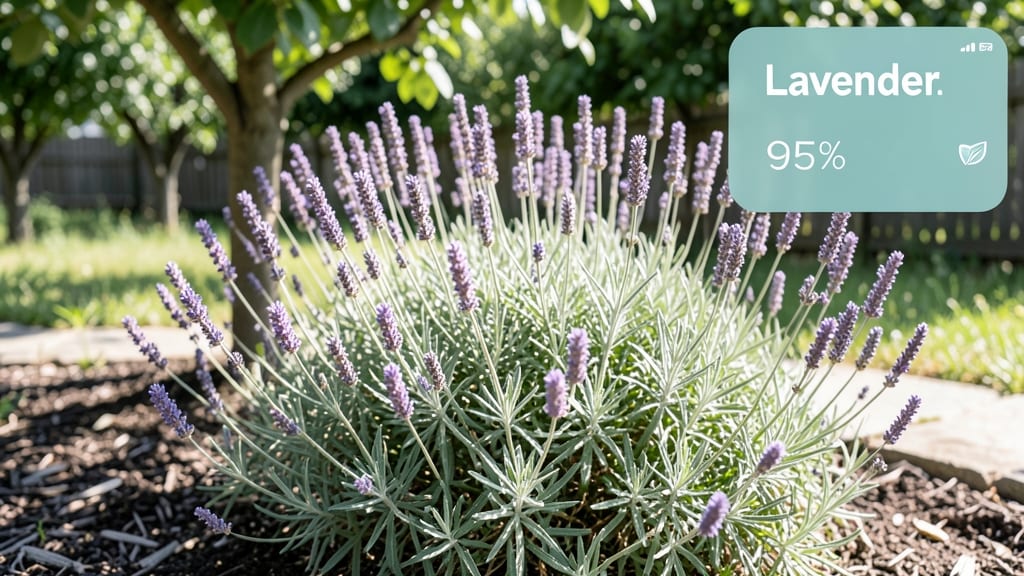
When your garden mystery plant stumps you, an app to take a picture of the plant and identify it is all it takes to unlock the answer. 🌿 I’ve used plant ID apps to rescue dying houseplants, identify wild edibles, and even confirm rare heirloom tomatoes—all in seconds.
The secret lies in capturing the right details and knowing what to do with the results.
You’ll need just your phone and one of the top apps like PlantNet, Google Lens, or PictureThis. Clear lighting and a close-up of leaves, flowers, and stems make all the difference. Most apps give you species names, care tips, and even warnings about pests or diseases—no green thumb required.
The payoff? Instant confidence in your garden choices. Need to know if that yellowing leaf means overwatering or a fungal infection? The app tells you—and suggests fixes. I’ve saved entire plants just by acting on those quick diagnoses.
Works for beginners, urban gardeners, and plant nerds alike. Here’s how to get the most out of your plant ID photos—no botany degree needed.
📚 In This Guide
- What you need
- Instructions
- Tips and common mistakes
- Wrapping up and next steps
What you need
- ● Smartphone or tablet (iOS or Android) with a rear-facing camera (preferably 12MP or higher for clarity).
- ● Stable internet connection (Wi-Fi or mobile data) to download the app and access databases.
- ● Plant-identifying app (e.g., PlantNet, Google Lens, PictureThis, or iNaturalist). Most are free, but some offer premium features.
- ● Natural light source (sunlight or a bright lamp) to avoid shadows or blurry images.
- ● Tripod or steady surface (like a small table or your hand) to keep the camera still while snapping.
- ● Magnifying glass or macro lens attachment (for close-ups of tiny details like leaf veins or flowers).
- ● Notebook or digital notes app to jot down observations (e.g., plant height, soil type, or growth habits).
- ● GPS coordinates or location details (if the app requires regional data for accurate ID).
How to use a plant identification app like a pro
Here’s the simple process I use to get accurate plant IDs every time—no green thumb required.
📱 Step 1: Download the Right App for Your Needs
Start with a trusted app like PlantNet, PictureThis, or Google Lens. I prefer PlantNet for its large database of wild plants and weeds, while PictureThis excels for garden and houseplants. Download from your app store, then open it and grant camera permissions—this is non-negotiable for photo uploads.
Check the app’s "About" section to confirm it covers your region. Some apps specialize in North American flora, while others focus on tropical or European plants. If you’re unsure, PlantNet’s global database is your safest bet for broad coverage.
🌿 Step 2: Capture Clear, Well-Lit Photos of Key Features
Open the app’s camera and snap a photo of the plant’s leaves, flowers, and stems—never just the whole plant. Focus on the leaf shape, edges, and veins first, as these are the most identifying traits. Hold your phone steady or prop it against a surface to avoid blurry shots.
Lighting is everything: shoot in natural daylight near a window or outside in shade. Avoid harsh midday sun or artificial lighting—both create shadows that confuse the app’s algorithms. If you’re indoors, position the plant near a north-facing window for even light.
🔍 Step 3: Upload Photos and Refine Your Search
Select the best photo (one with clear details and no obstructions) and upload it. Most apps let you add multiple photos—include close-ups of flower structures, leaf undersides, or bark texture if available. The more detail, the faster the app narrows results.
If the app asks for location, enable it—this filters results to plants native to your area. I always double-check the suggested species against my own notes (like leaf arrangement or plant height) to spot mismatches. Apps aren’t perfect, so treat their first guess as a starting point, not the final answer.
✅ Step 4: Verify the ID and Cross-Check
When the app returns a result, compare it to real-time visuals of the plant. Look for matches in leaf shape, flower color, and growth habit. If the ID seems off, try uploading a different photo or searching the app’s database manually using keywords like "serrated leaves" or "white flowers."
For tricky plants, I cross-reference with online resources like the USDA Plants Database or iNaturalist. If the app suggests a poisonous plant (like foxglove or oleander), I verify with a second source before taking action—better safe than sorry.
📝 Step 5: Save and Learn for Future Use
Save the identification to your app’s library for future reference. Most apps let you add notes, like "grows in shade" or "blooms in June." I also snap a follow-up photo of the plant’s full form and store it in a labeled folder on my phone—this helps with seasonal changes or new growth.
Use this as a learning tool: note why certain features (like hairy stems or compound leaves) led to the ID. Over time, you’ll recognize patterns and spot plants without an app. Start with 5 plants a week, and you’ll build a surprisingly accurate eye for flora in no time.
Tips & tricks for perfect plant identification with your camera
Mastering plant ID apps takes practice—here’s how to turn every snapshot into a confident discovery.
Focus on the Right Details: In Step 2, when capturing photos, prioritize the leaf's underside and veins—these often hold the most distinctive clues. I’ve found that many apps struggle with standard top-down shots, so angle your phone slightly to show both sides of the leaf. The texture of the leaf surface (smooth, fuzzy, or waxy) can also make the difference between a correct ID and a close-but-wrong match.
Lighting is Non-Negotiable: The instructions mention natural daylight, but here’s the secret: early morning or late afternoon light (what photographers call the "golden hour") works best. This soft light reduces harsh shadows that can confuse the app’s algorithms. If you’re indoors, avoid fluorescent lighting—it distorts colors and creates unnatural shadows that throw off identification.
Don’t Rely on One Photo: In Step 3, most apps allow multiple uploads—use this feature! I always take at least three photos: one of the leaves, one of any flowers or buds, and one of the stem or bark. This triple-angle approach gives the app more data points to cross-reference. For example, a plant might have similar leaves to several species, but its flower structure could narrow it down instantly.
Verify with a Second Source: Step 4’s cross-checking is where many users skip the crucial step. I can’t stress enough how important it is to compare the app’s result with a trusted resource like the USDA Plants Database. Apps occasionally misidentify poisonous plants (like water hemlock) as harmless lookalikes—always double-check before taking action, especially with unknown wild plants.
Pro Tips for App To Take Picture Of Plant And Identify
- Mastering plant ID apps takes practice—here’s how to turn every snapshot into a confident discovery.
- Focus on the Right Details: In Step 2, when capturing photos, prioritize the leaf's underside and veins—these often hold the most distinctive clues.
- Lighting is Non-Negotiable: The instructions mention natural daylight, but here’s the secret: early morning or late afternoon light (what photographers call the "golden hour") works best.
Frequently asked questions
Got questions about using a plant identification app? You’re not alone! Here are some of the most common queries—and their answers—to help you get the most out of your leaf-snapping adventures.
How accurate are these apps at identifying plants?
Most modern plant ID apps use AI and databases with thousands of species, offering 80-95% accuracy for common plants. However, rare or hybrid species may be trickier. For best results, take clear photos of leaves, flowers, and stems—the more details, the better! Apps like PlantNet or Google Lens also let users verify identifications with a community.
How long does it take to get an identification?
Near-instant! Most apps process your photo in 2-5 seconds if your connection is stable. Offline modes (like in PlantSnap) may take slightly longer, but they’re great for areas with poor signal. Pro tip: Avoid shaky hands or blurry shots—the faster you snap a crisp image, the quicker your answer!
Do I need a fancy phone to use these apps?
Not at all! While high-resolution cameras help, any smartphone from the last 5 years (iOS or Android) will work. Focus on good lighting (natural light > flash) and steady hands. Budget phones can still ID plants—just ensure the app is updated for optimal performance.
What if the app can’t identify my plant?
Don’t panic! Start by double-checking your photo—crop to show key features (leaf shape, veins, flowers). If that fails, try:
- Uploading to multiple apps (e.g., PictureThis + LeafSnap).
- Describing the plant in forums like Reddit’s r/whatsthisplant.
- Visiting a local nursery or botanical garden with your photo for expert help.
Can these apps help with plant care too?
Many apps like PlantNet and Gardenate don’t just ID plants—they also provide care tips, watering schedules, and even pest alerts. Some (like Planta) track your plant’s growth over time. Perfect for turning your green thumb into a plant whisperer!
Wrapping up and next steps
Ready to unlock the secrets of your green friends? 🌱 A plant identification app turns your smartphone into a botanical expert—no degree required! Whether you're troubleshooting a wilting leaf or admiring a rare find, these tools make plant care (and discovery) effortless.
Now that you’ve got the know-how, grab your phone and start snapping—your next gardening adventure (or plant rescue mission) awaits!
Pro tip: Bookmark your favorite app for quick reference, and don’t forget to share your finds with fellow plant lovers—community knowledge grows the best gardens! 🌿